Back-to-office checklist: get meeting room bookings ready
On this page
You run a busy real-estate office with four meeting rooms. Agents are returning from summer leave, buyers want to discuss properties and sellers are coming in to review offers. Meanwhile, the Tuesday team meeting still reserves your largest room at the time two agents want to meet clients.
Before the first busy week, check that the calendar matches the office you need to run. Old recurring meetings, equipment faults and unclear handovers are easier to resolve before a buyer is waiting at reception.
Choose a readiness date and work backwards from it.
Key takeaway: Check the room, its calendar and its owner together. A tidy schedule is only useful when the space is ready and someone can resolve exceptions.
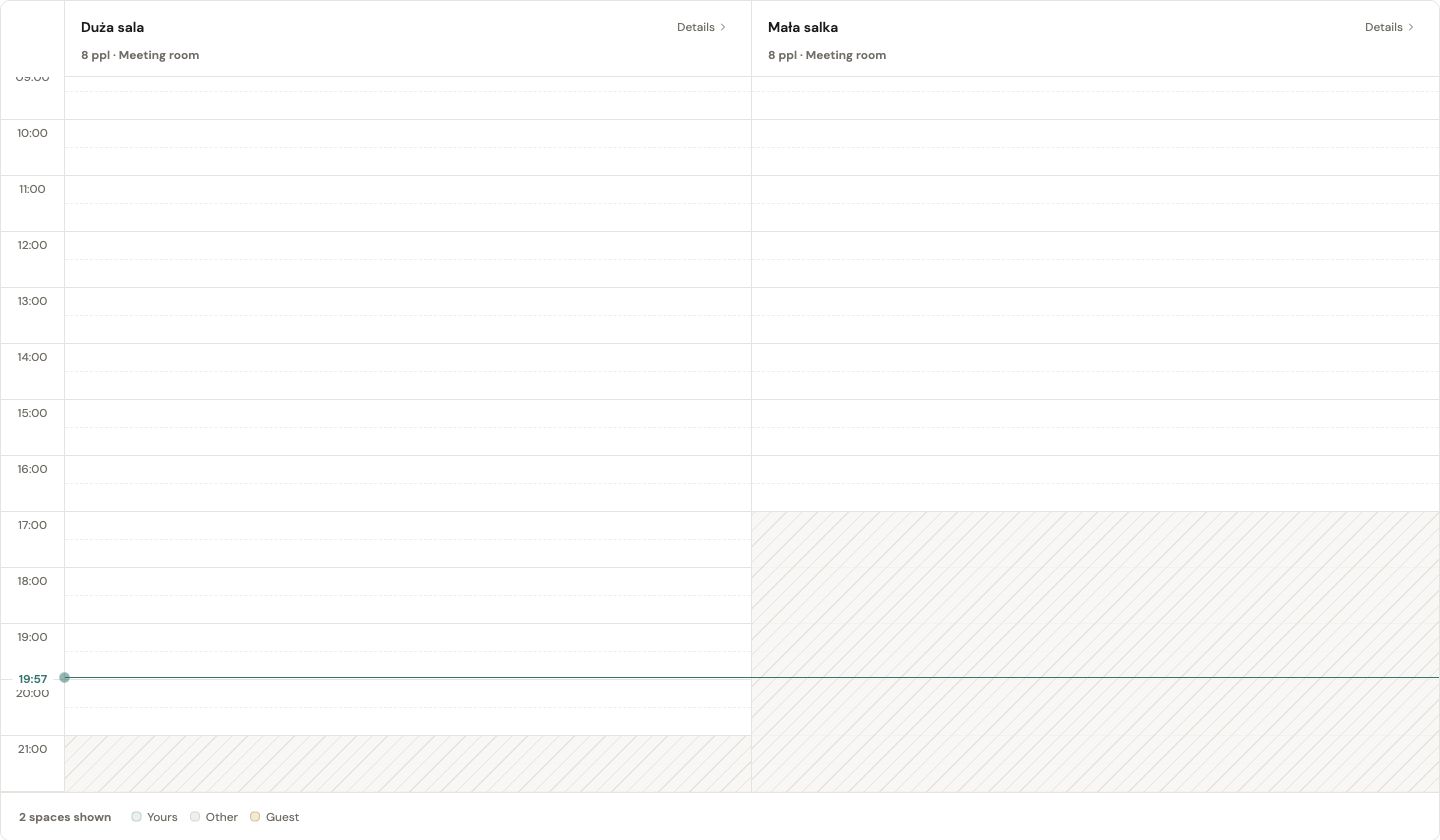
The day view puts room availability side by side; hatched areas mark time outside booking hours.
A week before: confirm which rooms are ready
Walk through each bookable room with its listing open. Compare the name on the door with the name people select when booking. Check seating, equipment and any temporary restrictions. Can an agent show property photographs on the display? Is there enough table space for everyone attending a contract discussion?
Record what needs attention. A room with an unavailable display might still suit a conversation, provided the listing makes that limitation clear. A room that cannot be used should have its unavailable period reflected in the schedule.
Use a small readiness table:
| Check | Question to answer | Next action |
|---|---|---|
| Room identity | Does the listing match the door sign? | Correct mismatched names before sharing instructions |
| Seating | Does the current layout fit the stated capacity? | Update the description to match the layout |
| Equipment | Can a host use the listed equipment? | Test it and record any limitations |
| Availability | Is maintenance or storage blocking access? | Mark the affected period unavailable |
| Ownership | Who handles a problem on the day? | Add a contact to the office instructions |
Review recurring meetings before they return
Ask each series owner to confirm the next occurrence, expected attendance and end date. Give them a specific response deadline ahead of the readiness date.
Do not delete a booking simply because its organiser has not replied. Follow up, then use your agreed escalation process.
For each series, decide whether to keep it, move it, reduce its duration or end it. Check occurrences individually when a room closure affects only part of a series. Our guide to recurring meeting room bookings covers the ongoing review process.
Agree how meetings hand over
Back-to-back reservations need a shared understanding of when a room becomes available. Does the end time include packing up? Where should someone wait if the previous meeting is still running?
Choose a rule people can apply. For example, an office could ask hosts to finish discussion five minutes before their booking ends and leave the room ready by the end time. Choose a longer handover when agents need to clear documents and prepare for the next client.
If setup requires extra time, include it in the reservation. Avoid both a hidden setup allowance and a separate buffer that unintentionally reserve the same time twice.
Plan the first Tuesday around client appointments
Your largest room holds the team meeting from 09:00 to 10:00. An agent has invited sellers for a 10:00 appointment to discuss an offer and negotiate contract terms. They need fifteen minutes beforehand to arrange documents and check the display.
The client appointment and team meeting do not overlap, but preparation does. Review that gap before confirming the room. If another suitable room is available, move the internal meeting there after checking with its organiser. Otherwise, agree a 10:15 client arrival with the agent and update the invitation.
For a 10:15–11:00 appointment, reserve 10:00–11:15 to include preparation and clearing away. Keep the client arrival time distinct from the room start time. Let reception know which room to use, without putting negotiation details in a shared booking title.
Apply two clear rules that week:
- Agents leave the room ready by the reservation end time, including removing client documents.
- When a client cancels, the agent releases the room as well as updating the appointment.
Record the 08:30 equipment check in the schedule too. Otherwise, an agent returning from a viewing may see an empty room and reasonably assume it is free.
Two days before: send one useful briefing
Share a short note in the place employees normally check for office information. Include the booking location, room naming convention, cancellation expectation and contact for conflicts.
Link to the full policy if one exists.
Ask each agent to check their first client appointment: room, arrival time and preparation window. Include reception in any changes that affect where clients should wait.
On the first busy day: watch for exceptions
Keep a simple record of issues: wrong room name, missing equipment, meeting overrun or conflicting booking instructions. Record the process problem rather than unnecessary details about the meeting itself.
Deal with the immediate need, then identify the source. A schedule collision calls for different action from a door sign that sends people to the wrong place. See how to prevent double booking meeting rooms for a more detailed conflict workflow.
Questions to settle before the return
Should we remove every old recurring booking?
Review it with its owner first. Some meetings remain necessary, while others need a new time or end date. A blanket deletion makes people rebuild valid reservations.
What if not all teams return together?
Use the busiest expected day as your readiness deadline, then review later arrivals separately. Keep temporary room restrictions visible throughout the transition.
What should the final checklist contain?
Confirmed room details, reviewed recurring bookings, clear handover rules, a shared briefing and a named person for exceptions. Give each unfinished item an owner and a due date.
When you are ready to assess how the booking process could work, explore Venuo’s meeting room booking page.